AKTU ERP Registration: Complete Step-by-Step Guide 2026
Most students land on the AKTU ERP portal and assume “registration” means one thing. It does not. There are three separate registration tasks on erp.aktu.ac.in — and confusing them, or doing them out of order, is the reason thousands of students miss exam deadlines, get withheld results, or can’t generate their admit card.

What “AKTU ERP Registration” Means — Three Different Processes
Before anything else, understand this: the term “registration” on AKTU ERP covers three distinct tasks. Each has a different purpose, a different deadline, and a different consequence if you skip it.
- Pre-Registration is the very first step — done once by newly admitted students who have received their Registration Number from college. It opens your ERP account.
- Enrollment is the formal university registration that makes you an officially recognized AKTU student. Without it, you do not exist in the university’s academic database. No enrollment means no exam eligibility, no admit card, no degree.
- Exam Form Submission is the semester-specific task every student — first year to final year — must complete before every examination cycle. This is what actually gets you your admit card.
Doing these in sequence is mandatory. Jumping to exam form submission without completing enrollment first will not work.
Stage 1: AKTU ERP Pre-Registration — For Newly Admitted Students Only
Pre-registration is a short window — historically 2 to 3 days — that AKTU opens every September for freshers. In the 2025-26 session, this window ran from September 23 to September 25. AKTU does not announce extensions for this step, so missing it means contacting your college principal to request a reopening on your behalf.
What You Must Have Ready Before You Sit Down
Do not start the form without these. The portal does not allow partial saves.
- Your Registration Number — issued by your college, this is not your Enrollment Number yet
- Your Aadhaar-linked mobile number — OTP will be sent here
- Scanned passport photograph — .jpg format, white background, 80% face, strictly between 20KB and 50KB
- Scanned signature — .jpg format, black ink on plain white, strictly between 10KB and 20KB
- Your Date of Birth in DDMMYYYY format — used to generate your default password later
Critical warning before uploading: If there is any spelling discrepancy between your name on the form and your name on your 10th marksheet — even a missing middle name or a dot in initials — flag it to your college registrar before submitting. Correcting a name after pre-registration requires a formal correction request through the university that takes weeks. Fix it before you hit Submit.
Pre-Registration Steps on AKTU ERP
Pre-registration does not open through the main login page. AKTU activates a separate time-limited link only during the official window (2–3 days in late September). Your college shares this link along with your Registration Number when the window opens.
- Open the pre-registration link shared by your college — the main erp.aktu.ac.in login page has no new student option
- Enter your Registration Number and mobile number/email ID to begin
- Fill your personal and academic details — name, course, college — cross-check everything against your 10th marksheet before saving
- Complete the online payment through the integrated gateway
- Upload your photograph and signature — .jpg format, maximum 50KB each
- Click Final Submit — saving the form alone does not complete registration, this step is mandatory
- Save or print the application snapshot with the QR code — this is your proof of pre-registration
Missed the window? The link goes inactive after 2–3 days. Contact your college principal immediately — only the institution can request a reopening from AKTU on your behalf.
Stage 2: AKTU ERP Enrollment — Making Your Registration Permanent
Pre-registration opens your account. Enrollment makes you official. These are not the same thing.
After pre-registration, your college takes over. The college’s ERP coordinator initiates your formal enrollment on the university portal, verifies your physical documents, and submits them to AKTU. Your role in this stage is to verify your details on the ERP dashboard, pay the enrollment fee online, and submit your original documents to the college within the designated window.
Typical enrollment deadline: Around October 10 each year. In the 2025-26 session, this was extended to October 25 following requests from colleges. AKTU does not accept late enrollments under normal rules — if you miss the deadline, your college must contact the university. Always track the latest circular at aktu.ac.in/circulars.html.
Documents Required for AKTU Enrollment
Submit these to your college — they upload and verify the data on the ERP intranet.
Students coming from outside Uttar Pradesh frequently hold up their own enrollment by arriving without the Migration Certificate. Arrange it from your previous college before your enrollment window opens.
Enrollment Fee Payment — And What to Do If It Appears to Fail
The enrollment fee is paid online through the payment gateway integrated into erp.aktu.ac.in. After paying, do not close the browser until the confirmation screen loads and you have downloaded the receipt.
If your payment was deducted but the ERP shows “Payment Failed” or “Pending” — do not pay again immediately. AKTU runs a batch reconciliation system between the payment gateway and its own database. It can take up to 48 hours to sync. Check the Payment History tab in your ERP dashboard after two days. In most cases, the status updates to “Success” automatically.
If it still shows Failed after 72 hours, email the official AKTU payment helpline with your Roll Number, Transaction ID, Bank Reference Number, and a screenshot of the deduction. Do not use WhatsApp groups or unofficial channels for this — only the official email listed in your ERP dashboard.
Stage 3: Exam Form Submission — Every Semester, Every Student
This is not a one-time task. Every registered AKTU student — whether you are in first year or final year — must fill the exam form on the ERP portal before every semester examination. Skipping this means no admit card. No admit card means no entry to the exam hall.
The exam form window typically opens 45 to 60 days before scheduled exams. For the Odd Semester, that is usually November to December. For the Even Semester, it falls in April to May.
Steps to fill your AKTU exam form:
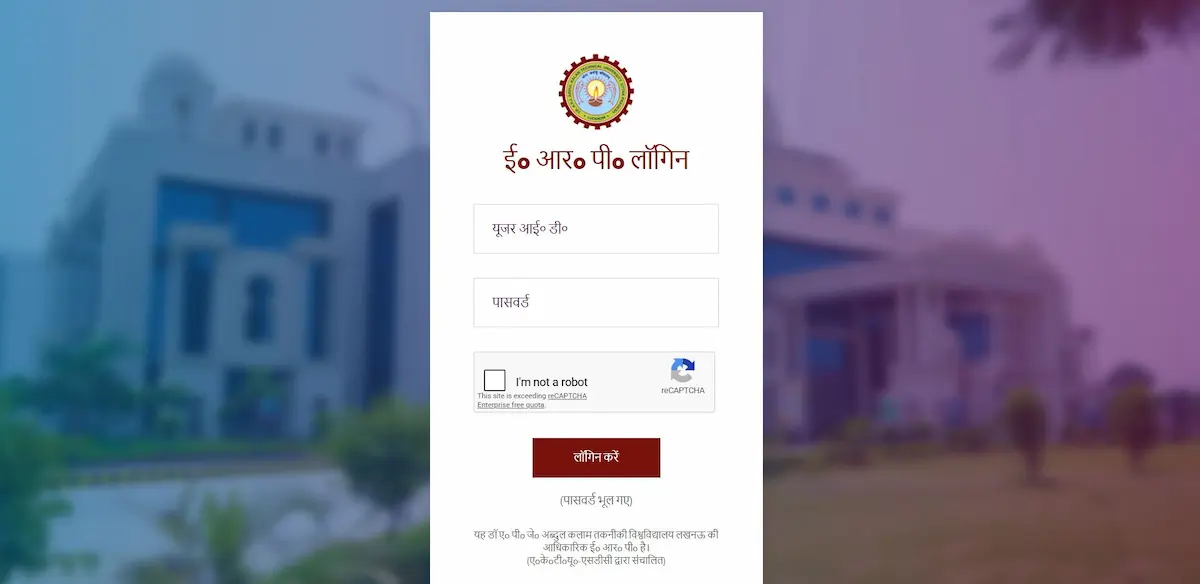
Log in to erp.aktu.ac.in with your Enrollment Number and password — if you are unsure of your credentials, read our AKTU ERP User ID guide before proceeding.
- On your dashboard, scroll down and click “Exam Form Dashboard”
- Verify your subjects — if any Carry Over Paper (COP) is missing or wrongly listed, contact your college exam cell before proceeding
- Pay the exam fee via Net Banking, UPI, or Debit Card
- After payment, submit the form and download the receipt immediately — save it as PDF
Note: If payment is deducted but status shows pending, wait 24 hours before doing anything. Do not pay again.
ABC ID (APAAR) Linking — Mandatory During Registration in 2025-26
From the 2025-26 session, every AKTU student must link their 12-digit ABC ID (also called APAAR ID) to their ERP profile. This is not optional. An unlinked ABC ID will cause your semester result to show as “Withheld” — you can check what that means and how it affects your marksheet in our AKTU ERP Result guide.
Why it matters: Your academic credits are stored in the National Academic Depository (NAD) against your ABC ID. Without it, your degree will not be issued in the blockchain-verified format now required for WES foreign credential evaluations and several PSU recruitment portals.
How to link it:
- Generate your ABC ID through DigiLocker — open the app, log in with your Aadhaar-linked number, search for “ABC ID Card,” and select Dr. A.P.J. Abdul Kalam Technical University, Uttar Pradesh as your institution. Note the 12-digit number.
- Log in to the AKTU ERP portal → go to Student Profile → find the “ABC ID Entry” or “APAAR ID Update” module in the left menu
- Enter your 12-digit ID and click Submit
- Confirm the status shows “Verified” — if it stays “Pending,” there is a data mismatch between your Aadhaar details and AKTU records (most commonly a name spelling difference). Contact your college registrar for a Name Correction request.
Registration Errors on AKTU ERP — Causes and Fixes
“User ID Not Found” During Login
- Cause: For freshers, your college submits your data to AKTU’s central database after confirming your admission. That sync takes 24 to 48 hours. You are trying to log in before the server has your record.
- Fix: Wait 48 hours. Try again with your exact Enrollment Number (not Roll Number). If it still fails, visit your college ERP coordinator with your admission slip and confirm that your data has been submitted.
Photo or Signature Upload Rejected
- Cause: File size is outside the permitted range. The portal’s automated image checker will reject anything outside 20KB–50KB (photo) or 10KB–20KB (signature).
- Fix: Use a free online JPEG compressor before uploading. Resize until you hit the exact range. High-resolution phone photos at 1–3MB will always fail.
Pre-Registration Window Closed
- Cause: The 2 to 3 day window has passed.
- Fix: Contact your college principal or ERP coordinator immediately. Colleges can, in rare cases, formally request a short extension for individual students from the university. This is not guaranteed, but it is the only official route.
Payment Deducted but Form Status Shows Pending
- Cause: Reconciliation lag between payment gateway and ERP database.
- Fix: 48-hour rule. Do not pay again unless the status remains Failed after 72 hours AND your bank confirms the original deduction was reversed.
AKTU ERP Registration — Key Deadlines at a Glance
| Task | Typical Window | Where |
|---|---|---|
| Pre-Registration | Late September (2–3 days only) | erp.aktu.ac.in |
| Enrollment Form Submission | Early October (approx. Oct 1–10) | erp.aktu.ac.in |
| Document Verification | Oct 5–15 (college level) | Your college |
| ABC ID Linking | During enrollment window | ERP Dashboard |
| Odd Semester Exam Form | November–December | ERP Dashboard |
| Even Semester Exam Form | April–May | ERP Dashboard |
These are standard windows based on AKTU’s historical academic calendar. AKTU extends deadlines periodically based on demand. Always verify the current dates on the official circular page at aktu.ac.in/circulars.html before assuming any date applies to your session.
Frequently Asked Questions
What is the first step of AKTU ERP registration for a new student?
Pre-registration on erp.aktu.ac.in using your Registration Number — issued by your college after UPTAC counselling or direct admission. This must be done within the 2 to 3 day window AKTU announces each September. Without completing pre-registration first, you cannot proceed to enrollment.
What documents are needed for AKTU enrollment?
You need your 10th and 12th marksheets, Transfer Certificate, Migration Certificate, Domicile Certificate, Category Certificate (if applicable), Character Certificate, Aadhaar Card, and passport-size photos. Submit these to your college — the college uploads and verifies them on the university portal.
Can I appear in semester exams without completing AKTU ERP registration?
No. Only enrolled students who have filled the semester exam form through the ERP are issued an admit card. Without a valid admit card, no student is permitted to enter the examination hall under any circumstance.
What happens if I miss the AKTU enrollment deadline?
AKTU does not accept late enrollments under standard rules. Contact your institute’s principal or registrar immediately — in past sessions, AKTU has issued short extensions following formal requests from colleges. The responsibility for compliance rests with the institution, which is why your college takes this seriously.
Is ABC ID linking mandatory at the time of ERP registration?
Yes. From the 2025-26 session, linking your 12-digit ABC ID to your AKTU ERP profile during enrollment is mandatory. Without it, your result will be marked “Withheld” and your degree cannot be issued in the required blockchain-verified format.
Why does my enrollment fee payment show as failed when money was deducted?
The AKTU ERP uses a batch reconciliation system between the payment gateway and the university database. It can take up to 48 hours for a successful transaction to reflect. Do not pay again. Wait 48 hours, check the Payment History tab on your dashboard. If it still shows Failed after 72 hours, contact the official AKTU payment helpline via email with your transaction details.