AKTU ERP User ID: What It Is & How to Find It
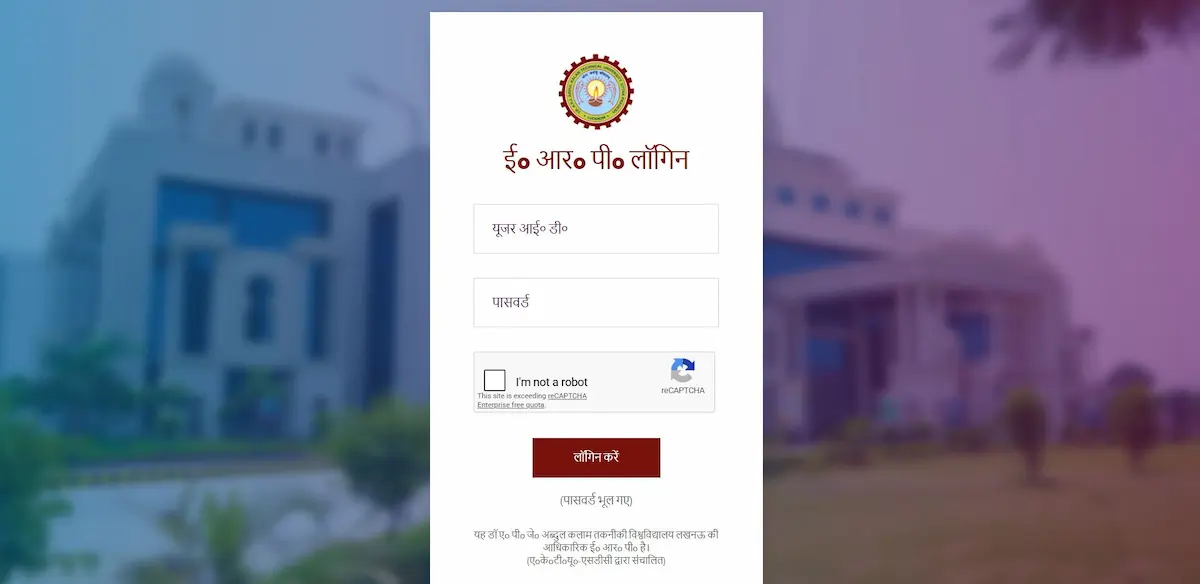
You open erp.aktu.ac.in, the login page loads, and the first field stares back at you: User ID. Most students type their Roll Number here. The portal instantly throws “User Not Found.” Frustration follows.
Here is the fix, straight: your AKTU ERP User ID is your University Enrollment Number — not your Roll Number, not your college ID, not your application number. Just your Enrollment Number. Everything else in this article explains where to find it, what it looks like, and what to do when it stops working.
What Is an AKTU ERP User ID?
The AKTU ERP portal at erp.aktu.ac.in runs on one permanent credential — your University Enrollment Number, issued by Dr. A.P.J. Abdul Kalam Technical University when you were first admitted. This number serves as your User ID from first semester all the way to your final year and even appears on your degree certificate.
It comes in two formats depending on your admission batch:
- 11 digits — standard for B.Tech, MBA, MCA, and most affiliated course students admitted before 2023
- 13 digits — applicable to certain newer batches, including lateral entry and specialized course admissions from 2023 onwards
The most important thing to understand: your Roll Number is for the One View result portal only. It has no function on the ERP login screen. Entering it there will always fail.
Where to Find Your AKTU ERP User ID — 5 Real Sources
1. Your Admission Slip or Allotment Letter
This is the most reliable document. Whether you came through UPTAC counselling or took direct admission, your college issued an allotment or admission confirmation letter when you paid your first fee. Your Enrollment Number is printed on that letter — usually near the top, labeled as “Enrollment No.” or “University Roll No.”
Check both your physical copy and your email inbox from the time of admission.
2. Your University Fee Payment Receipt
Every time you pay semester fees through the ERP or your college’s payment system, the official receipt carries your Enrollment Number. If you have paid even one semester, you have this receipt — either printed or in your registered email as a PDF.
This is the fastest recovery option for students who have already completed at least one semester.
3. Your College ID Card
Many AKTU-affiliated colleges print the University Enrollment Number directly on the student identity card, usually on the back. It is sometimes labeled “Enrollment No.” alongside a shorter “College Roll No.”
These two numbers are different — the shorter one printed on the front is typically your college-internal roll number, not the University Enrollment Number needed for the ERP.
4. “Know Your Enrollment” on the ERP Login Page
You do not need to log in to use this. On the erp.aktu.ac.in login page, there is a “Know Your Enrollment Number” or “Forgot User ID” link. Click it, enter your name, date of birth, and college code — the system will display your Enrollment Number immediately.
This works even if you have never logged in before. It is the fastest self-service recovery option available.
5. Your College Examination or Admission Office
For first-year students in the opening weeks of a new session, the Enrollment Number may not yet be visible on any personal document. In that case, walk into your college’s ERP coordinator’s office or examination cell with your admission form. They maintain a complete master list and can give you the number in minutes.
AKTU ERP User ID vs Roll Number — The Difference You Must Know
This single confusion causes more login failures than any technical glitch. Here is the exact difference:
| User ID (Enrollment Number) | Roll Number | |
|---|---|---|
| Used on | ERP Portal — erp.aktu.ac.in | One View Result Portal |
| Format | 11 or 13 digits | Shorter, session-specific |
| Changes over time? | Never — fixed for all 4 years | Changes every exam session |
| Assigned by | AKTU Central System at admission | Examination Cell per session |
The Roll Number is exam-session-specific, which is exactly why it cannot be a permanent login credential. The Enrollment Number is your unchanging academic identity at AKTU — it stays constant from Day 1 of admission until your degree is issued.
What Is the Default Password for First-Time Login?
Once you have your User ID (Enrollment Number), you need the default password. AKTU follows a specific format for this:
Default password = Last 4 digits of your registered mobile number + Date of Birth in DDMMYYYY format
Example: If your mobile number ends in 9876 and your date of birth is 15 August 2004, your default password is: 987615082004
After entering your credentials, the portal will send a 6-digit OTP to your registered mobile number. In 2026, the system simultaneously sends the same OTP to your registered email address — so if the SMS is delayed, check your email immediately.
First-time login advice: Change your default password the moment you get in. Keep it something only you know. Do not share it with classmates, seniors, or coaching staff.
If the default password is not working, use the “Forgot Password” link on the login page — enter your Roll Number, receive an OTP on your registered mobile, and reset it in under two minutes.
“User Not Found” — The Real Reason & How to Fix It
This error hits first-year students the hardest and is almost never their fault. Here is what is actually happening:
When a college confirms your admission, they first record your data in their own college-level system. That data is then submitted and synchronized to AKTU’s central university database. This synchronization is not instant — it typically takes 24 to 48 hours after the college completes the data submission.
So a student who tries to log in on the same day their admission is confirmed will see “User Not Found” even if their Enrollment Number is completely correct. The central server simply has not received the data yet.
What to do: Wait 48 hours and try again. If the error persists beyond 48 hours, visit your college ERP coordinator with your admission slip and confirm that your data has actually been submitted to AKTU’s system.
One additional thing to verify: the exact format of your Enrollment Number. Some records include a leading zero that students sometimes drop while typing (e.g., 0230052010001 vs 230052010001). Cross-check the exact digit string with your admission documents.
How to Log In With Your User ID — Step by Step (2026)
Once you have your Enrollment Number and password, the login process is straightforward:
- Open
erp.aktu.ac.inin Google Chrome 120+ or Mozilla Firefox on a desktop or laptop - Click “Click here to login.”
- Enter your 11-digit or 13-digit Enrollment Number in the User ID field
- Enter your password (default or your updated one) and complete captcha verification
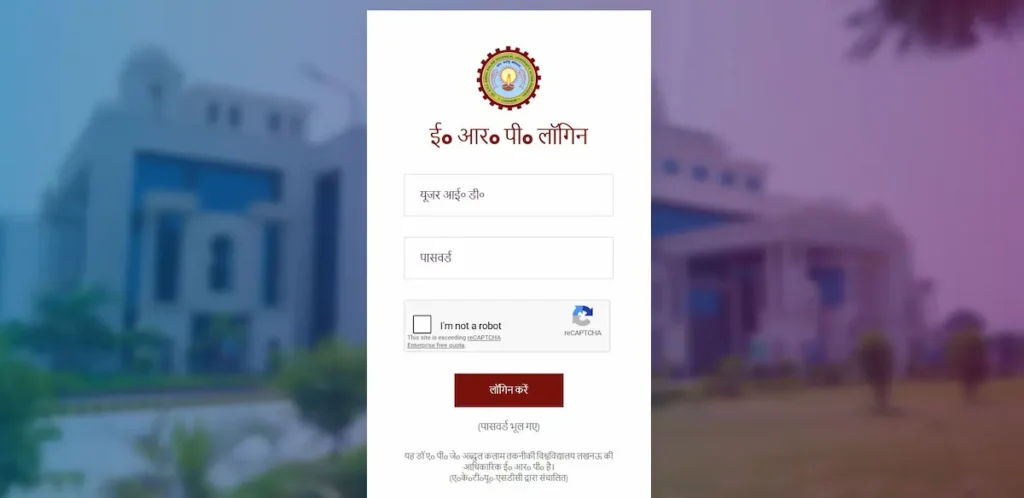
- Click the OTP button — a 6-digit code will arrive on your registered mobile or email within seconds
- Enter the OTP and proceed — your dashboard will load
Mobile users: If the Login button is invisible or unresponsive on your phone, rotate the device to landscape mode. This is a known display issue with the ERP’s interface on narrow mobile screens. Enabling “Desktop Site” in your browser settings also resolves it permanently.
For everything you need to do once you are inside the portal — exam form filling, fee payment, admit card download, and result checking — refer to the detailed AKTU ERP Result guide which covers the full post-login workflow.
Frequently Asked Questions
Is my AKTU ERP User ID the same as my Roll Number?
No. They are entirely different credentials used on different portals. Your User ID for the ERP login is your Enrollment Number (11 or 13 digits). Your Roll Number is used on the AKTU One View portal to check results. Entering your Roll Number on the ERP login screen will always return a “User Not Found” error.
What if my college has not given me my Enrollment Number yet?
Use the “Know Your Enrollment” tool on the ERP login page — enter your name, date of birth, and college code to retrieve it without needing anyone’s help. Alternatively, check your admission slip, fee receipt, or college ID card.
Does my AKTU ERP User ID ever change?
No. Your Enrollment Number is your permanent academic identity at AKTU. It does not change across semesters, academic years, or course transitions. The same number appears on your final degree certificate.
Can I use my Enrollment Number on the AKTU One View portal?
No. One View requires your Roll Number, not your Enrollment Number. These are two separate portals with completely different credential systems. Using your Enrollment Number on One View will not return your results.
Quick Summary
Your AKTU ERP User ID is your University Enrollment Number — 11 digits for most students, 13 digits for select newer batches. You can find it on your admission slip, fee receipt, college ID card, or directly through the “Know Your Enrollment” tool on the ERP login page. If it is not working, the most likely cause is a 48-hour sync delay for new admissions — not an error on your part. Use the exact number format from your official documents, complete the 2FA OTP step, and you will be inside your dashboard.