AKTU ERP Exam Form 2026: Fill Online, Fee & Deadline
The Even Semester exam form window for 2025-26 is open right now — and April 30, 2026 is the hard deadline. Miss it, and you cannot sit the exams starting May 7. No extension is guaranteed. No exceptions are made for technical excuses after the cutoff. This applies to every student across B.Tech, MBA, MCA, B.Arch, B.Pharma — whether you are a regular student or clearing carry-over papers.
What Is the AKTU ERP Exam Form and Who Needs to Fill It
The exam form is not automatic. Every semester, every student must manually log in to the ERP portal, select subjects, pay the fee, and submit. The university does not register you for exams by default. Without a submitted and fee-paid exam form, your admit card will not be generated — regardless of whether you attended every class.
Three categories of students must fill this form:
- Regular students appearing in the current even semester (2nd, 4th, 6th, 8th, 10th)
- Carry-over (COP/back paper) students clearing backlogs from previous even semesters
- Ex-students registered for remaining subjects to complete their degree
Over 8 lakh students across 750+ AKTU-affiliated colleges go through this process every cycle. The volume is exactly why the portal slows to a crawl on the last day — which is why you should never wait until April 30.
AKTU Even Semester Exam Form 2026 — Dates That Matter
| Event | Date |
|---|---|
| Exam Form & Fee Submission Deadline | April 30, 2026 |
| Even Semester Exams Begin | May 7, 2026 |
| Practical Exams | May 11 – May 26, 2026 |
| Discrepancy Reporting Deadline | April 25, 2026, 5:00 PM |
| Late Fee Penalty (if applicable) | ₹1,000 – ₹5,000 |
If you find an error in the exam schedule or your subject codes before April 25, email exams@aktu.ac.in with your details. After 5 PM on April 25, the Controller of Examinations locks the schedule.
Submit your form at least 3 days before April 30. ERP server traffic peaks in the final 24 hours and payment gateway timeouts are extremely common on deadline day.
Things to Check Before You Open the Exam Form
Hundreds of students complete all the steps and still don’t get an admit card — because they skipped something before starting. Check all three of these first.
1. Confirm Your ABC ID Is Linked
Since 2025-26, your Academic Bank of Credits (ABC) ID — also called APAAR ID — must be linked to your ERP profile. If the status shows “Pending” or the field is blank, your exam form will be technically incomplete and your result will be marked “Withheld” after the exam.
Resolve this on your ERP dashboard before touching the exam form. Need the full process? The step-by-step ABC ID linking guide is covered in detail on the main AKTU ERP portal page.
2. Verify Your Attendance Is Above 75%
AKTU mandates a minimum 75% attendance for examination eligibility. Your college uploads attendance data to the university’s Attendance Monitoring System (AMS) inside the ERP. If you are below 75%, the college detains you and your admit card is simply not issued — paying the exam fee at that point changes nothing. Log in and check your attendance percentage in your dashboard before submitting any fees.
3. Make Sure Your Registered Mobile Number Is Active
The 2026 ERP uses OTP-based Two-Factor Authentication. If the mobile number linked to your account is inactive or changed, you will be locked out of login — exactly when the deadline pressure is highest. Students cannot change their registered number independently. You must contact your college ERP coordinator, who submits the update through the university intranet. Do this well in advance.
How to Fill the AKTU ERP Exam Form 2026 — Step by Step
Before you start, keep these ready: enrollment number, registered mobile for OTP, passport photo (20–50KB, .JPG), scanned signature (10–20KB, .JPG), and your net banking/UPI details.
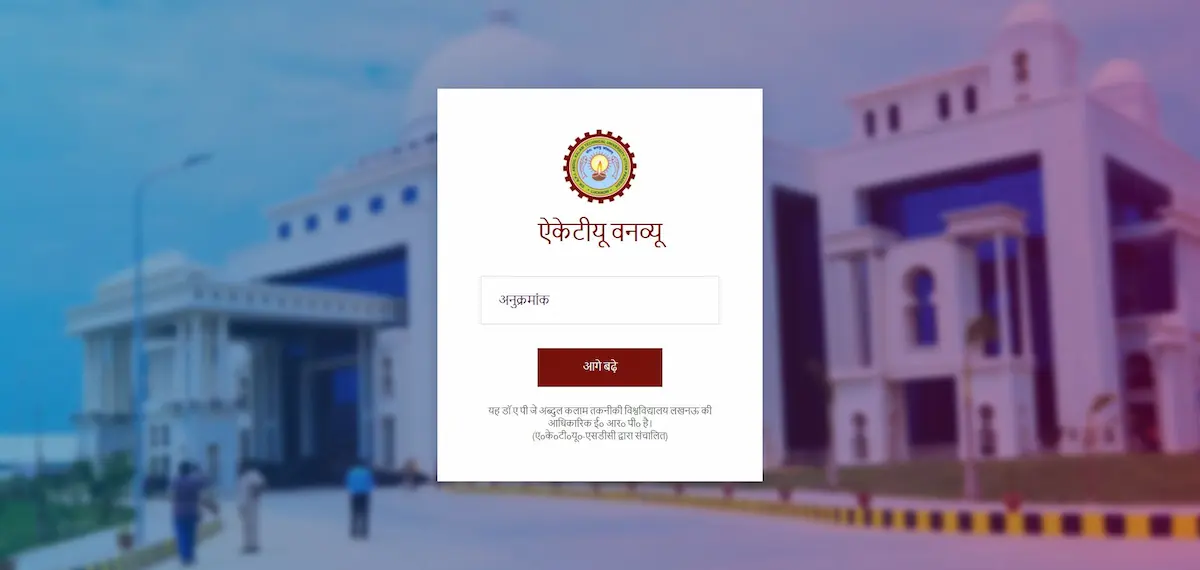
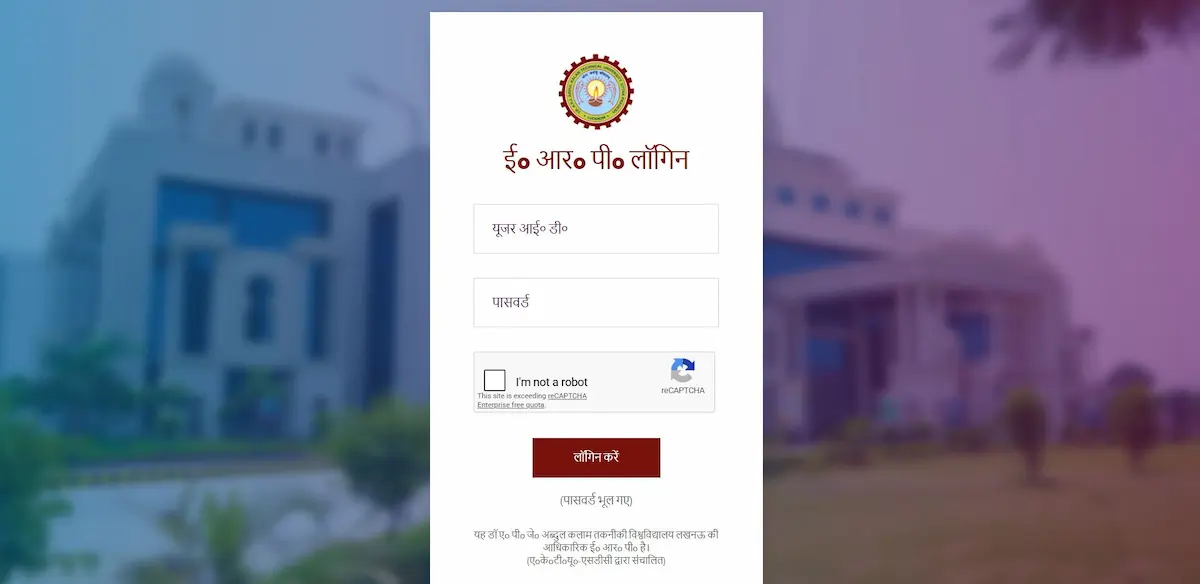
Step 1 — Log In to the Official ERP Portal
Go to erp.aktu.ac.in. Enter your 11-digit Enrollment Number as your User ID, followed by your password and the 6-digit OTP sent to your registered mobile. If you need help locating your Enrollment Number, the AKTU ERP User ID guide explains exactly where to find it.
If the login button is not visible on mobile, rotate your phone to landscape mode or enable “Desktop Site” in Chrome. Never use any third-party website claiming to be the AKTU portal.
Step 2 — Navigate to the Exam Form Section
After login, look for “Exam Form Dashboard” or “Fill Examination Form” in the left-side menu, typically under the Examination module. The label may vary slightly depending on the portal version your college is running.
Step 3 — Verify Your Subject List
Regular semester subjects are auto-populated based on your branch and current semester. Do not just click next without reading them.
Check three things specifically:
- Your elective subject code matches what your college internally assigned
- All your current semester subjects are listed and correct
- Carry-over (COP) subjects from previous semesters are manually added — they do not appear automatically
If a COP subject is missing or showing the wrong code, contact your college exam cell before submitting. After submission, any correction requires institutional-level intervention, which takes days you may not have.
Step 4 — Upload Photo and Signature
This is where most form submission errors happen. The ERP uses automated image validation. If your files don’t match the exact specifications, the form either hangs or generates an invalid admit card.
Photograph: Color, white background, .JPG/.JPEG only, 20KB–50KB, minimum 80% face visible. Signature: Black ink on plain white paper, .JPG/.JPEG only, 10KB–20KB.
A raw phone photo is typically 2–5MB — it will cause an error. Use any free online image compressor to bring it within range before uploading.
Step 5 — Pay the Examination Fee
Fee amounts vary by course and paper type:
- Regular semester papers — fee varies by programme (B.Tech, MBA, MCA, etc.)
- Carry-over papers (COP) — ₹1,000 per paper
Payment goes through the ERP’s integrated gateway. UPI, net banking, and debit/credit cards are accepted. The moment payment is confirmed, download both the payment receipt PDF and take a screenshot. That receipt is your protection if a dispute arises.
Step 6 — Submit and Download Confirmation
After fee confirmation, click “Submit” to lock your form. The portal generates a confirmation slip — download it immediately. Your college then verifies the form on their ERP interface, after which the university generates your admit card.
Exam Fee Deducted But Status Shows “Failed” — What to Do
- Do not pay again immediately. This is the most common and most costly mistake students make.
- AKTU ERP runs a batch reconciliation system between the payment gateway and the university’s database. It can take up to 48 hours for a successful transaction to reflect as “Success” in your Payment History tab.
- Wait 48 hours. Check again. If it still shows “Failed” after 48 hours and your bank confirms the deduction was not reversed, then initiate a fresh payment.
If 72 hours pass with no resolution, escalate through the official channel only:
Email: exams@aktu.ac.in Include: Roll Number, Transaction ID, Bank Reference Number, screenshot of payment deduction
Making a duplicate payment before confirming the first one failed creates a technical loop in the system that delays form verification and can push your admit card generation to the last minute.
How COP and Back Paper Students Fill the Form Differently
If you have subjects pending from previous semesters, your process differs in one important way: carry-over subjects will not appear automatically on your form.
You must manually add each COP subject using the correct subject code from your marksheet. The COP fee is ₹1,000 per subject — so three backlogs means ₹3,000 in COP fee, on top of your regular semester fee.
You can register for COP subjects and regular semester subjects in the same ERP session. Both go through a single payment. Back paper exams for odd semester subjects are also held in this May–June window, giving backlog students a chance to clear multiple pending papers in one cycle.
Clearing all carry-over papers is a hard requirement for degree issuance. AKTU will not issue your final degree with any pending subject code, regardless of how many semesters have passed.
What Happens After You Submit
Once you submit, the college verifies your form in their ERP dashboard — this typically happens within 2–5 working days. After college verification, the university generates your admit card, usually 7–10 days before the exam start date of May 7. Download your admit card from the same ERP portal. It is mandatory for entry into the exam hall. Physical copies from college are no longer issued; the downloaded ERP-generated copy is the official document.
If your admit card is not generated or shows “Withheld” status, the three most common reasons are:
- ABC ID not linked or showing “Pending”
- Exam fee reconciliation still in progress
- Attendance below 75% flagged by the college
For full details on downloading and verifying your admit card after form submission, refer to the AKTU ERP Admit Card guide.
FAQs
Can I fill the AKTU exam form from my phone?
Yes, but use Chrome with “Desktop Site” enabled or switch to landscape mode. The ERP login button does not render correctly in mobile portrait view.
What if I miss the April 30, 2026 deadline?
A late fee of ₹1,000–₹5,000 applies during any grace window that may open. After the hard cutoff, no submission is accepted regardless of reason. AKTU does not extend deadlines except in case of university-wide technical failure.
Can I edit my subject list after submitting?
No. Once submitted, changes require your college to initiate a correction request on your behalf before the form deadline. Do not submit until you have verified every subject code.
Official Links and Support
| Purpose | Resource |
|---|---|
| Exam Form Portal | erp.aktu.ac.in |
| Official AKTU Website | aktu.ac.in |
| Circulars & Notices | aktu.ac.in/circulars.html |
| Exam Discrepancy | exams@aktu.ac.in |
| Payment Disputes | payment@aktu.ac.in |
| General Helpline | 0522-2336805 |
Always verify deadlines and fee structures directly on aktu.ac.in before submission. Dates are subject to modification by official circular.